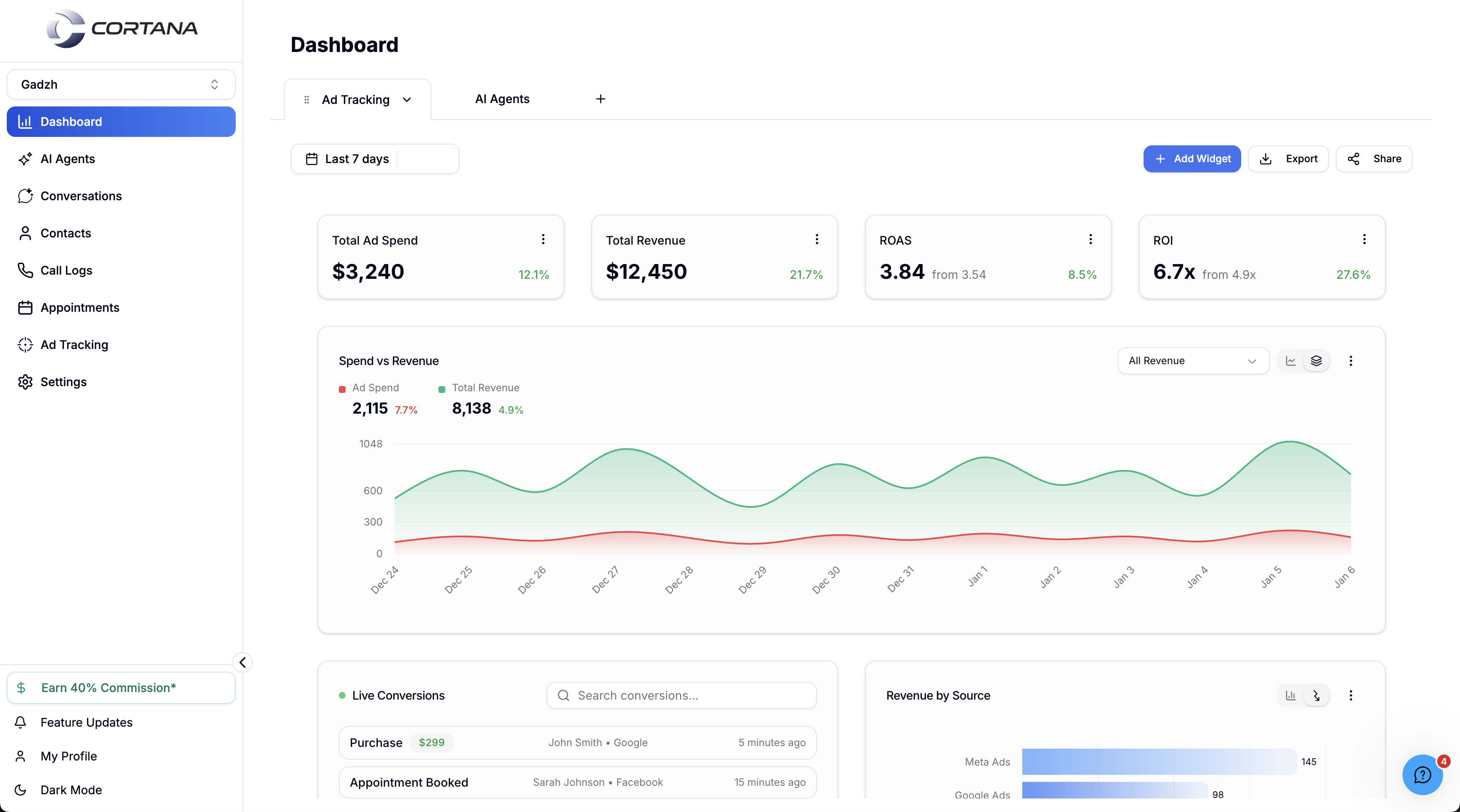
At Use Cortana (usecortana.ai), production voice started as a cascaded STT → LLM → TTS pipeline on LiveKit with providers like ElevenLabs and Grok - but latency hurt callers. We migrated voice to Hume speech-to-speech while keeping a configurable agent studio, Twilio for inbound/outbound PSTN, GoHighLevel CRM sync, and Restack (Temporal-based) orchestration between the frontend and Python backend. The platform still supports 50+ deployed AI employees and thousands of monthly calls.
Production voice AI is a systems problem. At Use Cortana, callers expect sales-quality conversations on real phone numbers - and speed to lead is part of the product promise.
I helped ship the voice path that powers deployed AI employees at scale (tens of agents, thousands of monthly calls). This post is the honest architecture story: we started with a LiveKit cascaded pipeline, measured the pain, then moved voice to Hume speech-to-speech without throwing away the multi-tenant agent studio.
For the product/UI side - drag-and-drop agents, channels, GHL, embeds - see the Use Cortana agent studio case study, including Loom walkthrough Part 1 and Part 2.
Phase 1: LiveKit STT → LLM → TTS
The first production design was a classic cascade:
| Stage | Role | Examples in our stack |
|---|---|---|
| Media | Realtime audio rooms | LiveKit |
| STT | Speech → text | Streaming ASR in the chain |
| LLM | Reasoning + tools | Including Grok and other LLM options |
| TTS | Text → speech | Including ElevenLabs |
Operators could still configure agents in the studio - prompts, cloning, tools - while LiveKit moved audio.
Why it struggled
Every cascade pays three network taxes. Partial streaming helps, but callers still felt delay between “hello” and a natural reply. For outbound sales follow-up, that lag is not a polish issue - it is a conversion issue.
Phase 2: Hume speech-to-speech
We replaced the conversational audio runtime with Hume. Speech-to-speech keeps the dialog in one low-latency loop while tools and business logic stay available through Hume’s tool surface and our backend.
The studio kept:
- Voice clone or preset selection
- Characteristics for persona
- First message, prompt, backend context
- Custom tools + system tools
Engineering lesson: swap the runtime, keep the configuration model. Tenants should not relearn the product because you fixed latency.
Here is the shape of that swap in Hume terms - one EVI config for voice + prompt + tools, a React session island, and a durable tool loop for CRM side effects:
// Illustrative Hume EVI config - maps to studio: voice, prompt, tools
import { HumeClient } from 'hume'

const client = new HumeClient({ apiKey: process.env.HUME_API_KEY! })

export async function createSalesAgentConfig(prompt: string) {
  return client.empathicVoice.configs.createConfig({
    eviVersion: '3',
    name: 'Speed-to-lead follow-up',
    voice: {
      provider: 'HUME_AI', // or CUSTOM_VOICE for clones
      name: 'Serene Assistant',
    },
    languageModel: {
      modelProvider: 'ANTHROPIC',
      modelResource: 'claude-sonnet-4-20250514',
    },
    prompt: { text: prompt },
    eventMessages: {
      onNewChat: { enabled: true },
    },
    // Hume built-ins + optional custom tools from the studio
    builtinTools: [{ name: 'web_search' }, { name: 'hang_up' }],
    // tools: [{ id: customToolId, version: 0 }],
  })
}@humeai/voice-react · session
Illustrative preview - real audio uses Hume access tokens + configId.
// Custom tool loop - EVI calls → your backend → tool_response
import type { Hume } from 'hume'

export async function handleToolCallMessage(
  toolCallMessage: Hume.empathicVoice.ToolCallMessage,
  socket: Hume.empathicVoice.chat.ChatSocket,
) {
  if (toolCallMessage.name !== 'update_ghl_contact') return

  const args = JSON.parse(toolCallMessage.parameters) as {
    contactId: string
    stage: string
    note?: string
  }

  const result = await syncGoHighLevelLead(args)

  socket.sendToolResponseMessage({
    type: 'tool_response',
    toolCallId: toolCallMessage.toolCallId,
    content: JSON.stringify(result),
  })
}

async function syncGoHighLevelLead(args: {
  contactId: string
  stage: string
  note?: string
}) {
  // Restack / Temporal workflow → Python CRM write
  return { ok: true, contactId: args.contactId, stage: args.stage }
}
Telephony stays on Twilio
Regardless of cascade vs speech-to-speech, phones still matter:
- Inbound numbers and webhooks
- Outbound dials for campaigns
- Communication-type configuration per agent in the UI
Twilio remains the PSTN edge. Hume (now) owns the conversational audio quality; Twilio owns how the call arrives and leaves the network.
Orchestration: Frontend → Restack → Python
A naive “browser talks to provider” diagram fails in multi-tenant SaaS. Our path:
- Frontend invokes a call / session
- Restack - Temporal-based durable middle layer - owns retries and long steps
- Python backend runs agent logic and provider integrations
That is how you avoid silent failures when CRM writes, tool calls, or provider handshakes flake mid-call. Deeper workflow notes: Temporal / Restack for AI agents.
CRM and channels around the call
Voice sits beside SMS, email, WhatsApp, and web chat in the same agent product. GoHighLevel is the primary CRM sync so conversations land where sales already works. Webchat embeds reuse the same knowledge base and tools.
RAG keeps business docs and session memory grounded - details in RAG for AI agents.
Results and takeaways
- Cascaded LiveKit pipelines taught us tool flexibility - and latency limits
- Hume speech-to-speech fixed the delay callers noticed
- Twilio inbound/outbound stayed the telephony contract
- Restack (Temporal) kept call workflows durable
- Studio UX (clone, tools, prompts, channels) remained the operator surface
If you are building multi-tenant voice SaaS in 2026: prototype on a cascade if you must, measure conversational latency early, and be willing to move to speech-to-speech when the product is speed.
Related work
- Use Cortana agent studio · Walkthrough Part 1 · Part 2
- Open-source LiveKit chained pipeline demo (Frontend · Backend)
- Temporal durable workflows
- RAG memory
- VoiceCake multi-channel platform (separate product)
- What to expect when you hire a LiveKit voice AI developer
Hire / next step: Voice AI Developer · Voice AI services · Book a call
Common questions
What voice stack did Use Cortana start with?
A cascaded pipeline - LiveKit for realtime media, speech-to-text, an LLM (including Grok and related options), and text-to-speech (including ElevenLabs). It supported tools and cloning, but end-to-end delay was noticeable.
Why migrate to Hume speech-to-speech?
Cascaded chains add latency at every stage. Hume speech-to-speech reduced conversational delay while the Use Cortana studio continued to expose prompts, characteristics, tools, and voice selection.
How do Twilio and Hume fit together?
Twilio handles PSTN inbound and outbound via configured webhooks. The conversational audio path runs through Hume speech-to-speech once a session is live; Restack/Temporal orchestrates durable steps into the Python backend.
What does the frontend still configure?
Agent name, first message, prompts, backend context, voice clone or preset, characteristics, custom tools, system tools, channels, and Twilio communication type - the studio stayed the source of truth.
How are calls orchestrated?
Frontend invokes the call → Restack (Temporal-based middle layer) → Python backend. That keeps UI responsive while workflows survive provider blips and long tool runs.
Where can I see Use Cortana's agent studio in action?
Watch the product walkthrough: Part 1 (https://www.loom.com/share/c73b619009f24573b69738869bf0aef1) covers channels, voice config, and tools; Part 2 (https://www.loom.com/share/2dd197f4e96c46c3b490154b1631d432) covers Temporal/Restack orchestration and the embeddable web widget. Full write-up: /blog/usecortana-multi-tenant-ai-agent-studio.