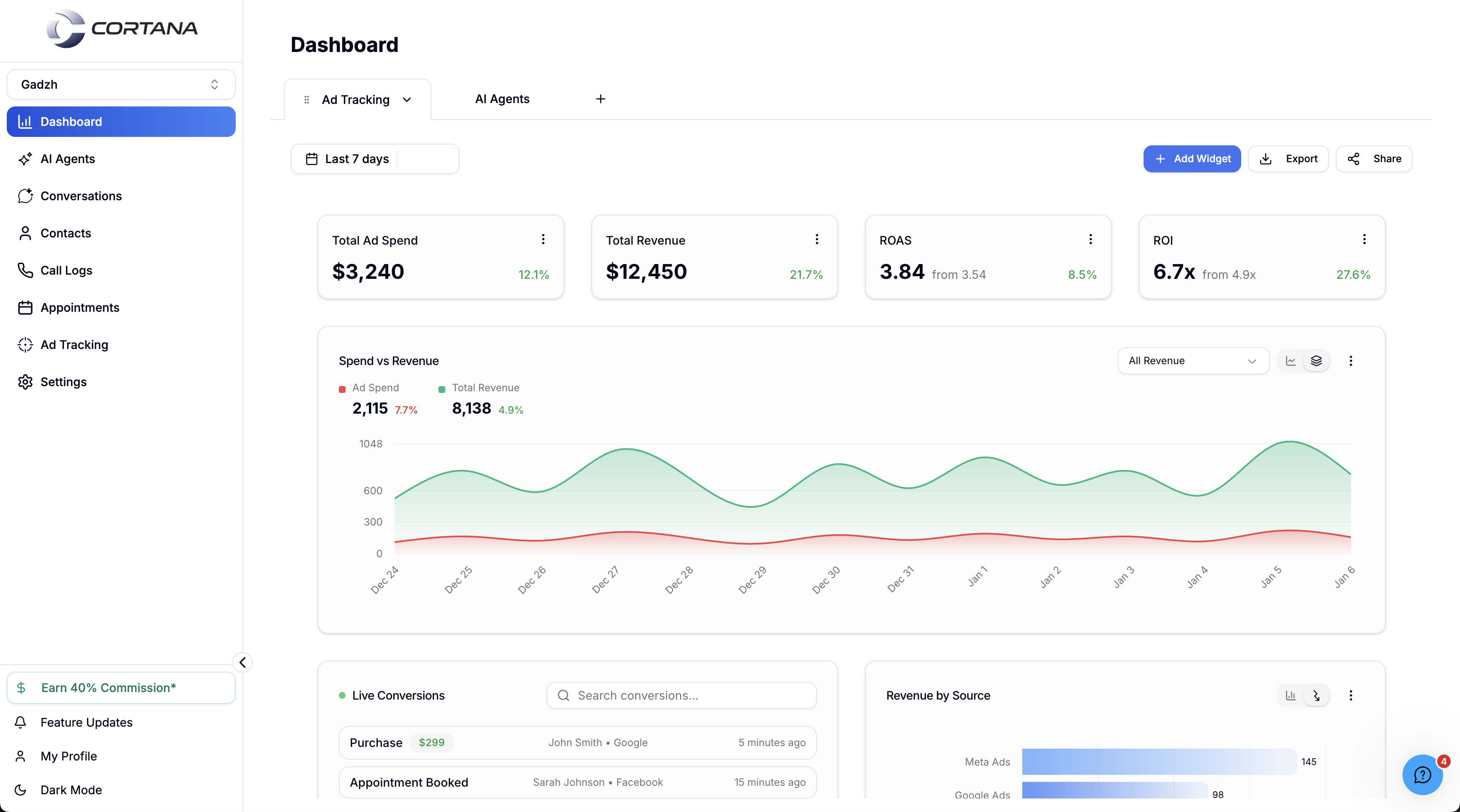
At Use Cortana (usecortana.ai), I built the multi-tenant frontend agent studio where organizations create and configure AI chat and voice agents - milestone or single-note conversations, channels (voice, SMS, email, WhatsApp, web chat), per-business RAG knowledge bases, custom and system tools, voice cloning or preset voices, Twilio inbound/outbound webhooks, GoHighLevel CRM sync, and embeddable webchat. Voice moved from a high-latency LiveKit STT-TTS-LLM chain to Hume speech-to-speech, with calls orchestrated Frontend → Restack (Temporal) → Python backend.
Use Cortana is a multi-tenant AI SaaS for teams that want agentic growth - track what ads actually make money, generate more winning creatives, and follow up on every channel without hiring a bigger ops team.
The product has two major sides:
- Ad tracking / media systems - attribution, creative loops, platform sync
- AI-powered agents - configurable sales and support agents across voice and messaging
My responsibility sat firmly on the agent side: a drag-and-drop style frontend studio where operators create, configure, and ship chat and voice agents for their own organizations - including white-label-friendly multi-tenant workspaces.
Product walkthrough
Two short Loom demos show the agent studio end to end - multi-channel setup, live messaging with memory, Temporal/Restack orchestration, and the embeddable web widget.
Multi-tenant by design
Use Cortana is not a single-tenant chatbot. Multiple customers run the platform at once:
- Create organizations / workspaces
- Isolate configuration and data per tenant
- Support white-label-style presentation of the product for partners
- Attach agents to a specific business with its own knowledge base
That tenancy model shapes every UI decision - agent lists, KB uploads, Twilio numbers, and GHL connections all resolve in org context.
What the agent studio lets you build
Operators open the studio and configure an agent without waiting on engineering tickets.
Identity and conversation shape
- Give the agent a name
- Choose chat, voice, or multi-channel deployment
- Pick conversation style: milestone-based flows (structured stages) or single-note conversations (freer dialog anchored on one system prompt / note)
- Set first message, official prompt, and backend context
Channels
One agent configuration can span the channels sales teams actually use:
- Voice (phone)
- SMS
- Web chat (embeddable widget)
Knowledge base + RAG
Each connected business owns a knowledge base. Operators upload documents and official org material - the policies, offers, and FAQs the agent must respect.
A RAG layer on the backend:
- Retrieves business content at answer time
- Remembers conversation context so the agent does not re-ask or invent policy
Same discipline as my RAG production write-up, applied inside a multi-tenant SaaS.

Voice: from cascaded chain to Hume speech-to-speech
v1 - STT → LLM → TTS (LiveKit chain)
The first voice path was a classic cascade:
- LiveKit for realtime media
- STT / TTS providers (including ElevenLabs)
- LLM reasoning (including Grok and related model options in the stack)
It worked - but callers felt delay. Cascaded pipelines stack time-to-first-audio across three network hops. For sales speed-to-lead, that friction kills conversions.
v2 - Speech-to-speech with Hume
We switched the voice runtime to Hume speech-to-speech. The frontend still owns configuration; Hume owns low-latency conversational audio and the tool surface operators already expect.
In the studio, users can:
- Clone a voice or pick from a predefined list
- Add characteristics / personality knobs for the voice agent
- Configure first message, prompt, and context
- Enable system tools (Hume-native capabilities) and custom tools they define
The product lesson: when latency is the product, change the pipeline - do not only tune prompts.
In code terms, the studio maps onto a Hume EVI config - voice, prompt, built-ins, and custom tools:
Hume EVI · config surface
Studio knobs → one EVI config. Swap cascade for speech-to-speech without rewriting the product UI.
Sessions on the client look like a thin island around @humeai/voice-react - connect with an access token + configId, let Hume own the speech-to-speech loop:
// Client island - Hume speech-to-speech session
'use client'

import { VoiceProvider, useVoice } from '@humeai/voice-react'

export function HumeCallShell({
  accessToken,
  configId,
}: {
  accessToken: string
  configId: string
}) {
  return (
    <VoiceProvider>
      <StartHumeCall accessToken={accessToken} configId={configId} />
    </VoiceProvider>
  )
}

function StartHumeCall({
  accessToken,
  configId,
}: {
  accessToken: string
  configId: string
}) {
  const { connect, disconnect, status } = useVoice()
  const live = status.value === 'connected'

  return (
    <button
      type="button"
      onClick={() =>
        live
          ? disconnect()
          : connect({
              auth: { type: 'accessToken', value: accessToken },
              configId,
            })
      }
    >
      {live ? 'End call' : 'Start Hume call'}
    </button>
  )
}
Custom tools (CRM writes, lead stages) stay in your backend. EVI emits tool_call; you run Restack → Python → GHL, then send tool_response:
Hume tool loop · GHL sync
tool_call · update_ghl_contactRestack → Python CRM writetool_response → EVIEVI proposes the tool; your durable workflow owns the CRM side effect.
For the deeper telephony and migration narrative, see production voice AI at Use Cortana.
Call path: Frontend → Restack → Python
When a call is invoked, orchestration is deliberate:
- Frontend initiates the call / session
- Restack - a middle layer built on a Temporal-style durable engine - owns reliable workflow steps
- Python backend executes agent logic, tools, and provider calls
That separation keeps the UI snappy while Restack absorbs retries, long-running tool work, and failure recovery - the same class of problem covered in Temporal for AI agents. Walkthrough Part 2 shows messaging resuming mid-conversation because Temporal/Restack pulls history through RAG before the backend responds.
Twilio + GoHighLevel
Telephony
Voice agents wire to Twilio for real phone traffic:
- Inbound call handling via configured webhooks / communication types
- Outbound campaigns with the same agent definition
Operators choose how the agent should be reached - they are not editing raw trunk config by hand for every experiment.
CRM
GoHighLevel (GHL) is the primary CRM. Users connect their own GHL account so voice and text agents stay in sync with pipeline stages, contacts, and follow-ups - critical when the rest of Cortana is optimizing paid acquisition into those same leads.
Webchat embed
Text agents are not trapped inside the SaaS. Operators generate a script / embed for webchat and place it on their own marketing site - so the same knowledge base and tools that power SMS or voice also power on-site conversations.
The embed supports floating popup, button-triggered modal, and inline iframe, with light/dark themes and custom colors - see walkthrough Part 2.
Stack snapshot (agent side)
| Layer | Choice |
|---|---|
| Product | Multi-tenant SaaS on usecortana.ai |
| My focus | Drag-and-drop agent studio frontend |
| Channels | Voice, SMS, email, WhatsApp, web chat |
| Conversation modes | Milestone-based or single-note |
| Knowledge | Per-business docs + RAG memory |
| Voice v1 | LiveKit + STT/TTS/LLM chain (ElevenLabs, Grok, …) |
| Voice v2 | Hume speech-to-speech |
| Orchestration | Frontend → Restack (Temporal) → Python |
| Telephony | Twilio inbound / outbound webhooks |
| CRM | GoHighLevel |
| Distribution | Embeddable webchat script |
Why this matters
Most “AI agent” demos are a single prompt in a playground. Use Cortana had to be a tenant-safe product: orgs, knowledge isolation, channels, CRM, telephony, and a studio UI non-engineers can operate.
Shipping that studio - and helping the platform move voice from a laggy cascade to Hume speech-to-speech - is the work that turns agentic growth from a slide into something sales teams run every day.
Related work
Common questions
What is Use Cortana?
Use Cortana (usecortana.ai) is a multi-tenant AI SaaS that orchestrates agentic growth teams for marketing and sales - including ad tracking and AI sales agents that call, text, WhatsApp, email, and chat. Organizations can configure white-label-style workspaces and deploy their own agents.
What did you build on Use Cortana?
I built the frontend agent studio - drag-and-drop style configuration for chat and voice agents, conversation modes, channel setup, knowledge-base uploads, prompts and first messages, voice cloning or presets, custom/system tools, Twilio inbound/outbound wiring, GHL connection, and embeddable webchat.
Is there a product walkthrough of Use Cortana?
Yes. Part 1 covers multi-channel agents, voice configs, system/custom tools, Shopify abandonment flows, and messaging with conversation memory (https://www.loom.com/share/c73b619009f24573b69738869bf0aef1). Part 2 covers Temporal/Restack orchestration, RAG context feeding, and the embeddable web widget (https://www.loom.com/share/2dd197f4e96c46c3b490154b1631d432).
Why did Use Cortana switch to Hume?
The original cascaded STT → LLM → TTS chain (LiveKit, ElevenLabs, Grok, and related providers) introduced noticeable delay for callers. Moving to Hume speech-to-speech reduced that latency while keeping a configurable frontend for prompts, tools, and voice characteristics.
How are voice calls orchestrated?
When a call is invoked, the frontend hits Restack - a Temporal-based orchestration middle layer - which then drives the Python backend. Twilio webhooks configure inbound and outbound telephony; agent state stays in sync with GoHighLevel as the CRM.
How does the knowledge base work?
Each business connected to an agent has its own knowledge base. Operators upload documents and org content; a RAG layer retrieves that material at runtime and retains conversation memory so agents stay on-policy and context-aware.